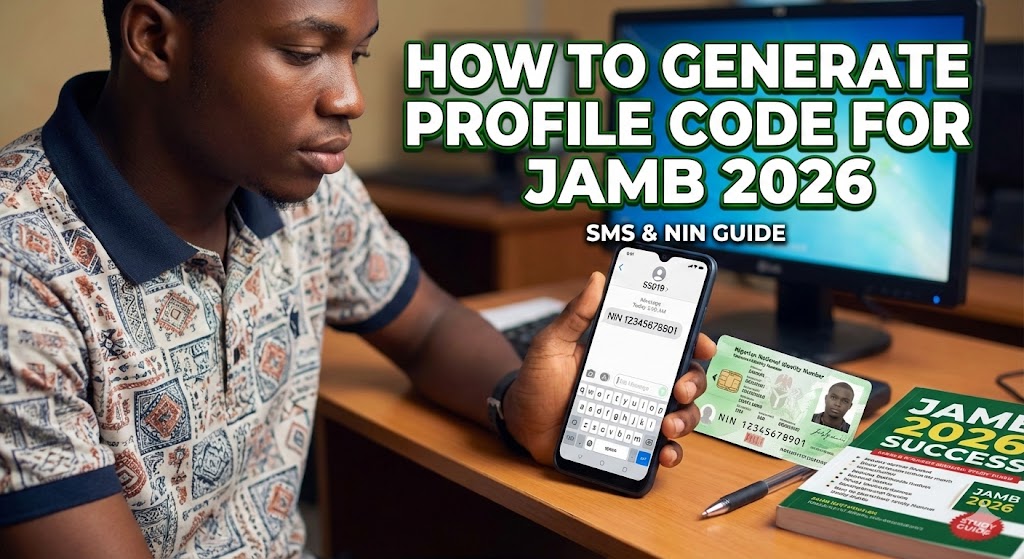
How to Generate Profile Code for JAMB 2026: The Complete Step-by-Step Guide
So, it’s that time of the year again. The air is tense, tutorials are packed, and everyone is talking about cut-off marks. You’re ready to smash JAMB 2026, get that admission into UNILAG, OAU, UNN, or ABU, and finally say goodbye to secondary school life.
But before you can even think about studying past questions or checking your syllabus, there is one tiny, annoying hurdle you must cross: The JAMB Profile Code.
Think of this code as your gate pass. Without it, the gates to the CBT centre are locked. You can’t buy the e-PIN, you can’t register, and you certainly can’t sit for the exam.
I’ve seen brilliant students—guys who can calculate Physics motion questions in their heads—get stuck here because of a simple error in their NIN or SIM card. It’s frustrating, right? You send the message, and… silence. Or worse, a weird error message pops up.
Don’t panic. We are going to walk through this together, step-by-step. By the end of this guide, you’ll have that 10-digit code sitting securely in your phone.
What is the JAMB Profile Code?
Quick Definition: The JAMB Profile Code is a unique 10-digit number that serves as your permanent identity ID on the JAMB portal. It links your biometric data (from your NIN) to your exam registration. You need this code to purchase your JAMB e-PIN from banks or vendors.

The “Ingredients” You Need Before You Start
You wouldn’t try to cook Jollof rice without rice and pepper, right? In the same way, you can’t just wake up and generate a profile code. You need a few specific things in place first.
Here is your checklist:
-
Your NIN (National Identification Number): This is non-negotiable. JAMB uses your NIN to verify who you are. If you haven’t done your NIN capturing at an NIMC centre, stop reading this and go do it now. No NIN, no JAMB.
-
A Unique Phone Number (SIM Card): This is where 60% of students mess up. The SIM card you use must not have been used by another person to register for JAMB before. Ideally, it should be registered in your name. Do not use your Daddy’s number that he used for your elder brother two years ago. That number is already tied to your brother’s profile.
-
Airtime (Credit): The SMS isn’t free. As of the last update, the service providers (MTN, Glo, Airtel, 9mobile) charge N50 per SMS. But don’t just load N50 exactly; load N100 or N200 just to be safe. You know how these networks can be unpredictable.
Step-by-Step: How to Generate Profile Code for JAMB 2026
Okay, let’s get down to business. The process is actually simple if you follow the “Golden Rule” of spacing.
Method 1: The USSD/SMS Method (The Standard Way)
This is the method 99% of students will use.
-
Open the Messages app on your phone.
-
Type the word NIN followed by a space, then your 11-digit NIN.
-
It should look exactly like this: NIN 00123456789
-
Double-check the numbers. Did you type the NIN correctly? Is there a space between “NIN” and the numbers?
-
Send this message to 55019 or 66019.
Why two numbers? Sometimes the 55019 server gets congested because millions of Nigerian students are trying to register at the same time. If 55019 isn’t delivering, try 66019. They both do the exact same thing.
What Happens Next?
If successful, you will receive a text message almost immediately. It will say something like: “Your Profile Name is AMUSA CHINEDU FATIMA. Your Profile Code is 1234567890.”
Boom. That’s it. You have the code.
Troubleshooting: When the “Village People” Attack
Okay, maybe I’m exaggerating, but it feels like spiritual warfare when you send the message five times and get no code. Let’s fix the common errors.
1. “Insufficient Funds”
Even if you have N50, sometimes the network takes N51 or charges for a failed attempt.
-
Fix: Load N200. Don’t be stingy with this; it’s your future!
2. “Invalid Format”
This means you typed it wrong.
-
Fix: Check the spacing. It is NIN [Space] Numbers. Not “NIN-Number” or “NINNumber”.
3. “No Record Found”
This is scary, but usually fixable. It means JAMB’s database can’t see your NIN data from the NIMC database yet.
-
Fix: This often happens if you just got your NIN yesterday. It can take a few days for the NIMC database to sync. Wait 24 hours and try again. If it persists, you might need to visit an NIMC centre to check your data status.
4. No Reply at All
You sent the text, they deducted your money, but no reply.
-
Fix: Do not panic. Do not send it 10 more times immediately. Wait for about 30 minutes. The networks might just be slow. If after an hour nothing comes in, try the alternative number (if you used 55019, try 66019).
Retrieving a Lost Profile Code
Let’s say you got the code, wrote it on a piece of paper, and then your younger sister used that paper to wrap Akara. Or maybe your phone crashed.
You don’t need to register afresh. The code is permanent for that year.
-
The Fix: simply send the word RESEND to 55019 or 66019 using the same phone number you used initially.
-
The Cost: Yes, they will charge you N50 again. But they will send you the same profile code.
Real-Life Application: Why This Matters
You might be thinking, “Sir, why is this process so stressful? Why can’t I just walk in and write the exam?”
Here is the thing. This isn’t just about an exam; it’s about Data Integrity.
In the “old days” of JAMB, people would register with fake names or multiple times to cheat. By linking your profile to your NIN (National Identity), JAMB ensures that you are you.
This mirrors the real world. When you get to the University, you will have a Matric Number. When you get a job, you will have a Tax ID. Learning to manage your unique identity data—keeping your SIM safe, remembering your codes—is a crucial skill for an adult in Nigeria. It teaches you responsibility. The SIM card you use now is likely the one you’ll use for your bank alerts and university portal for the next 4 years. Treat it like gold.
Common Misconceptions (Stop Believing Rumours)
I hear these all the time in the classroom. Let’s clear them up.
-
Misconception 1: “I can use my Dad’s phone because he has better network.”
-
The Truth: No! The profile code is tied to the SIM. If you use your Dad’s phone, your name is tied to his number forever on JAMB’s portal. All your admission text messages will go to him. Plus, if your sibling needs to register next year, they can’t use that number. Get your own SIM.
-
-
Misconception 2: “I can change my name on the JAMB portal later.”
-
The Truth: It is extremely difficult and expensive (indemnity forms, Abuja visits, etc.). The name JAMB uses is the name on your NIN. If your NIN says “Musa John” but you want “Musa John-Paul,” go and correct your NIN before generating the profile code.
-
-
Misconception 3: “Postpaid lines don’t work.”
-
The Truth: They do, but prepaid lines (the normal ones we all use) are generally more reliable for these shortcodes.
-
Frequently Asked Questions (FAQs)
Q: Can I use a new SIM card I just bought today? A: Yes, but ensure you have registered the SIM properly with your NIN and that the line is fully active (can make and receive calls) before trying to send the code.
Q: I made a mistake in my NIN when sending the text. What do I do? A: If you typed a non-existent NIN, the system will just tell you “Invalid NIN.” Correct it and send again. You will be charged for the new SMS.
Q: Can I use WhatsApp to generate the code? A: No. As of JAMB 2026, the authorized method is via USSD/SMS to 55019 or 66019. WhatsApp is not currently an option for code generation.
Q: My name on my NIN is different from my O’Level cert. Is that a problem? A: Big problem. JAMB will use the name on your NIN. If your WAEC certificate has a different name arrangement, you might have issues during clearance/screening at the university. Try to regularize them so they match.
Q: Who do I contact if nothing works? A: You can raise a support ticket on the JAMB Support Portal or visit the nearest JAMB state office. Avoid third-party “fixers.”
Found this guide helpful? Don’t hoard the knowledge! Share this with your classmates so they don’t make costly mistakes during registration. If you’re struggling with a specific error message, drop a comment below—let’s figure it out.


