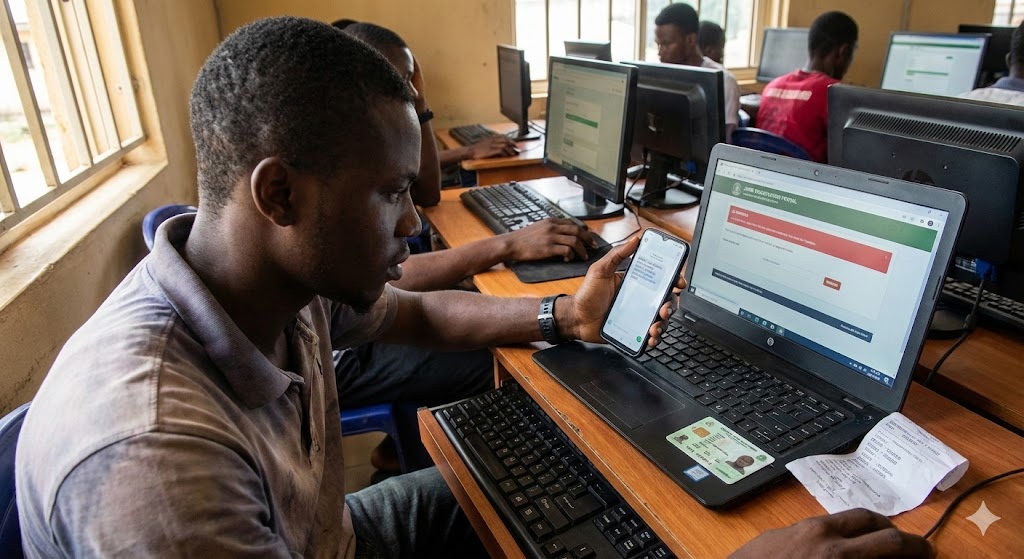
JAMB Registration Issues and Solutions: Fix Profile Code & NIN Errors Fast
We’ve all been there. You wake up early, load airtime on your phone, and type in that formatted message to generate your profile code. You press send, holding your breath.
Then… nothing. Or worse, an error message pops up saying “Invalid Format” or “Record Not Found.”
Panic starts to set in. You begin to wonder, “Will I miss this year’s JAMB?” “Is my village people at work?”
Relax. Take a deep breath. You are not alone, and your village people are (probably) innocent.
Every year, thousands of Nigerian students face JAMB registration issues and solutions are often simpler than they seem. Whether it’s the dreaded NIN integration wahala, payment failures, or biometric rejection at the CBT center, there is almost always a technical fix.
In this lesson, we aren’t just listing problems; we are fixing them. I’m going to walk you through the exact steps to troubleshoot these errors so you can get your slip printed and focus on studying.
Let’s get this sorted out once and for all.
What is JAMB Registration?
JAMB Registration is the mandatory yearly enrollment process for the Unified Tertiary Matriculation Examination (UTME). It involves creating a candidate profile using your National Identity Number (NIN), purchasing an E-PIN, and capturing biometric data at an accredited CBT center to qualify for admission into Nigerian tertiary institutions.

The “NIN to 55019” Nightmare (Profile Code Issues)
This is the biggest hurdle for most students. The Joint Admissions and Matriculation Board (JAMB) now requires your National Identity Number (NIN) to start the process. Think of your NIN as the key to the house; if the key doesn’t fit, the door won’t open.
Here is the thing: the system is automated, so it is very sensitive to small mistakes.
1. “Invalid Character Found” or “Format Invalid”
If you get this message, it usually means you didn’t follow the spacing rule.
-
The Fix: The format is strictly NIN [Space] Your 11-Digit Number.
-
Example: If your number is 12345678901, you type:
NIN 12345678901. -
Common Mistake: Many students put a double space or use a comma. Don’t add anything else. Send this to 55019 or 66019.
2. “No Record Found”
This is scary, but it usually comes from the NIMC side, not JAMB. It means the JAMB server is trying to talk to the NIMC server to fetch your picture and name, but it can’t find you.
-
The Fix: Wait for 3-4 hours and try again. Sometimes the network is just congested. If it persists for 24 hours, you need to visit the nearest NIMC office. Your data might not be fully validated on their backend yet.
3. The “Silent Treatment” (No Response)
You sent the message, they deducted your N50, but you got no reply. Painful, right?
-
The Solution:
-
Check your Airtime: You must have at least N100 regular airtime (not bonus credit) on your SIM.
-
SIM Card Issues: You must use a SIM card that has never been used for JAMB registration by another person. If your brother used that SIM last year, it won’t work for you. You need a fresh SIM or your own personal line.
-
Try the Alternative Code: If 55019 isn’t working, try sending the same message to 66019.
-
E-PIN and Payment Glitches
So, you have your Profile Code (finally!). Now you need to pay for the E-PIN. You go to the bank or use Remita, and things get messy.
The “Money Deducted, No PIN” Scenario This happens often when banking networks are unstable. You pay via your bank app, the money leaves your account, but Remita or Interswitch doesn’t send the PIN.
-
Don’t Panic and Pay Again: Do not pay a second time immediately!
-
How to Recover:
-
If you paid via Remita, go to the Remita website, click “Resend Receipt/Invoice,” and type in your transaction details.
-
Alternatively, send a text message: UTMEPIN [Space] Profile Code to 55019. If the payment was successful on JAMB’s end, they will resend your PIN via SMS without charging you for a new PIN.
-
Biometric Verification Issues at the CBT Center
You are at the accredited center. You are ready. But the fingerprint scanner refuses to verify your thumbs. The attendant is looking at you, the queue is long, and you are sweating.
Why this happens:
-
Wet or oily hands.
-
Faded fingerprints (common if you do manual labor or farm work).
-
Technical glitches in the scanner.
Practical Tips to Pass Biometrics:
-
Wipe Your Hands: Carry a handkerchief. Ensure your fingers are dry and oil-free.
-
Rub Your Fingers: If your prints are faint, rubbing your fingers together or against your palms can sometimes stimulate blood flow and make the ridges more visible to the scanner.
-
The “Verification” Rule: JAMB has a policy: “No Biometric Verification, No Exam.” If the machine absolutely refuses to capture your fingerprints after multiple tries, the CBT center must file a report immediately. Do not leave the center until this is documented. You might need to go to the JAMB headquarters in Abuja or their state office for a special resolution.
Data Mismatch: When Names Don’t Tally
This is a silent killer. You might register successfully, but lose your admission later because of this.
Imagine your NIN says “Musa Ibrahim Okafor,” but your WAEC result says “Musa Okafor Ibrahim.” To a computer, those are two different people.
-
The Golden Rule: Your name on JAMB must match your name on your O’Level result (WAEC/NECO) and your Birth Certificate exactly.
-
The Fix: If there is a discrepancy, you must correct it at NIMC before you register for JAMB. It is much harder (and more expensive) to change it after you have already registered.
Real-Life Application: Why This Matters Beyond the Exam
You might think, “Sir, let me just write the exam, I will fix the errors later.”
Here is the honest truth: It doesn’t work that way.
I had a student, Chinedu, who scored 280 in JAMB. He was brilliant. But during his registration, he used his mother’s phone number because he didn’t have a phone. When it was time for admission, all the CAPS messages and OTPs were going to his mom’s phone, which she lost.
He couldn’t access his CAPS profile to accept his admission. He missed that year.
Fixing JAMB registration issues isn’t just about writing the exam; it’s about securing your identity. This data follows you to the University, to NYSC, and even to your future workplace. If your Date of Birth is wrong now, you will have issues when you are trying to mobilize for NYSC four years from now. Get it right today so you don’t suffer tomorrow.
Common Misconceptions
Let’s clear up some rumors you might hear in the coaching center or on WhatsApp groups.
-
Misconception 1: “I can use my friend’s profile code if mine isn’t working.”
-
Correction: Absolutely not. The Profile Code is tied to your NIN. If you use someone else’s, you are essentially registering them for the exam, not yourself.
-
-
Misconception 2: “I can correct my Subject Combination anytime.”
-
Correction: You can only correct it within the registration window or the specific “Correction of Data” period mandated by JAMB. Once that window closes, if you chose the wrong subjects (e.g., doing Arts subjects for a Medicine course), you are automatically disqualified from that course.
-
-
Misconception 3: “The Cafe Man knows everything.”
-
Correction: The guys at the cyber cafe are business people. They want to register you quickly and move to the next person. They often make typing errors. You must verify every letter on that screen before you click “Submit.”
-
Frequently Asked Questions (FAQ)
Q: Can I use the same profile code I used last year? A: No, you cannot. Even if you wrote JAMB last year, you must generate a fresh Profile Code for the current year by sending your NIN to 55019 or 66019 again.
Q: My SIM card is lost, how can I get my Profile Code? A: You must retrieve that specific SIM card (Welcome Back pack) from your network provider (MTN, Glo, Airtel, etc.). JAMB ties your details to that specific phone number. You cannot simply switch to a new number.
Q: How much does the SMS for profile creation cost? A: The SMS typically costs N50. However, it is wise to have at least N100-N200 on your phone to cover any network charges or multiple attempts.
Q: Can I correct my Date of Birth after registration? A: Yes, but it is a paid service on the JAMB portal called “Correction of Data.” It costs money and requires you to visit a JAMB state office or an accredited centre. It’s better to ensure your NIN data is correct before you start.
Need more help? If you have tried all these solutions and are still stuck, don’t just sit at home. Visit the Official JAMB Support Portal or head to the nearest NIMC office.
Registration is just the first step. Once you conquer this, the real work—studying—begins. You’ve got this!


